
6 KiB
shepherd-launcher
A child-friendly, parent-guided launcher for Wayland, allowing supervised access to applications and content that you define.
Its primary goal is to return control of child-focused computing to parents, not software or hardware vendors, by providing:
- the ease-of-use of game consoles
- access to any application that can be run, emulated, or virtualized in desktop Linux
- with granular access controls inspired by and exceeding those in iOS Screen Time
While this repository provides some examples for existing software packages
(including non-free software and abandonware), shepherd-launcher is
non-prescriptive: as the end user, you are free to use them, not use them,
or write your own.
Screenshots
Home screen

Activities can be made selectively available at certain times of day.

This example, shown at 9 PM, has limited activities as a result.
Time limits
Activities can have configurable time limits, including:
- individual session length
- total usage per day
- cooldown periods before that particular activity can be restarted
TuxMath session shown about to expire, including warnings and automatic termination
Anything on Linux
If it can run on Linux in any way, shape, or form, it can be supervised by
shepherd-launcher.
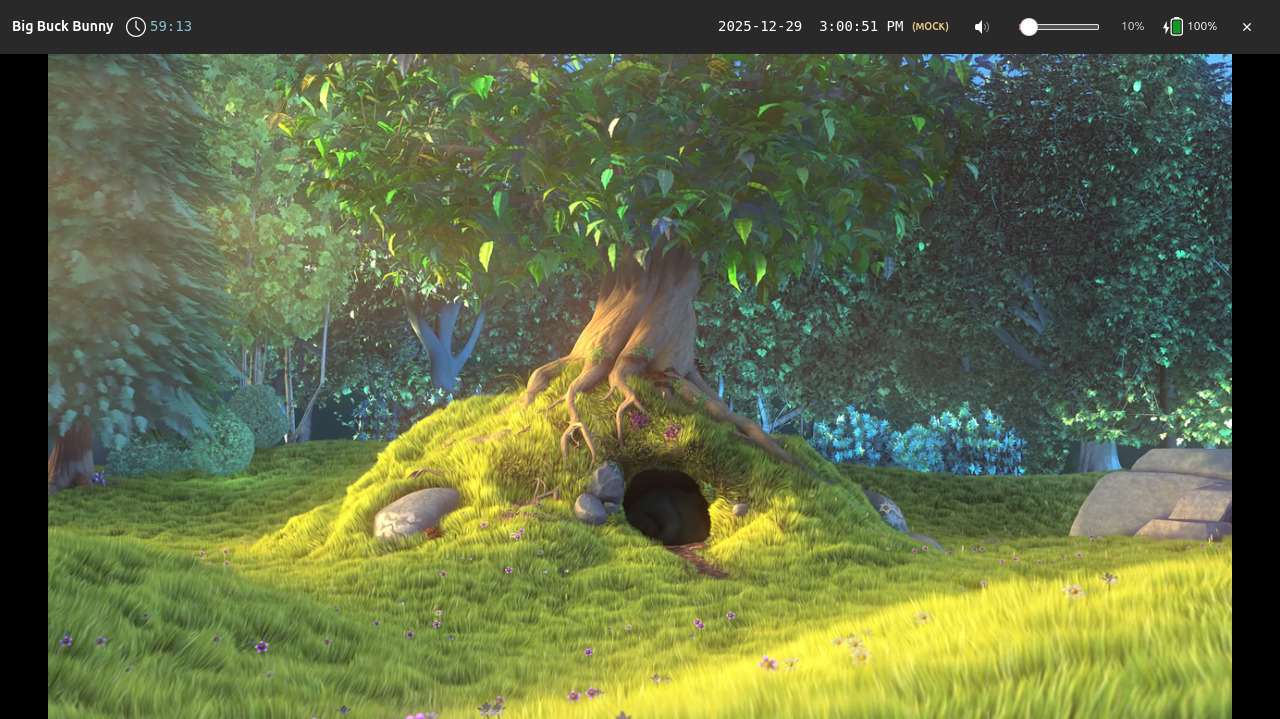
Big Buck Bunny playing locally via
mpv

Putt Putt Joins the Circus running via ScummVM

The Secret of Monkey Island running via ScummVM
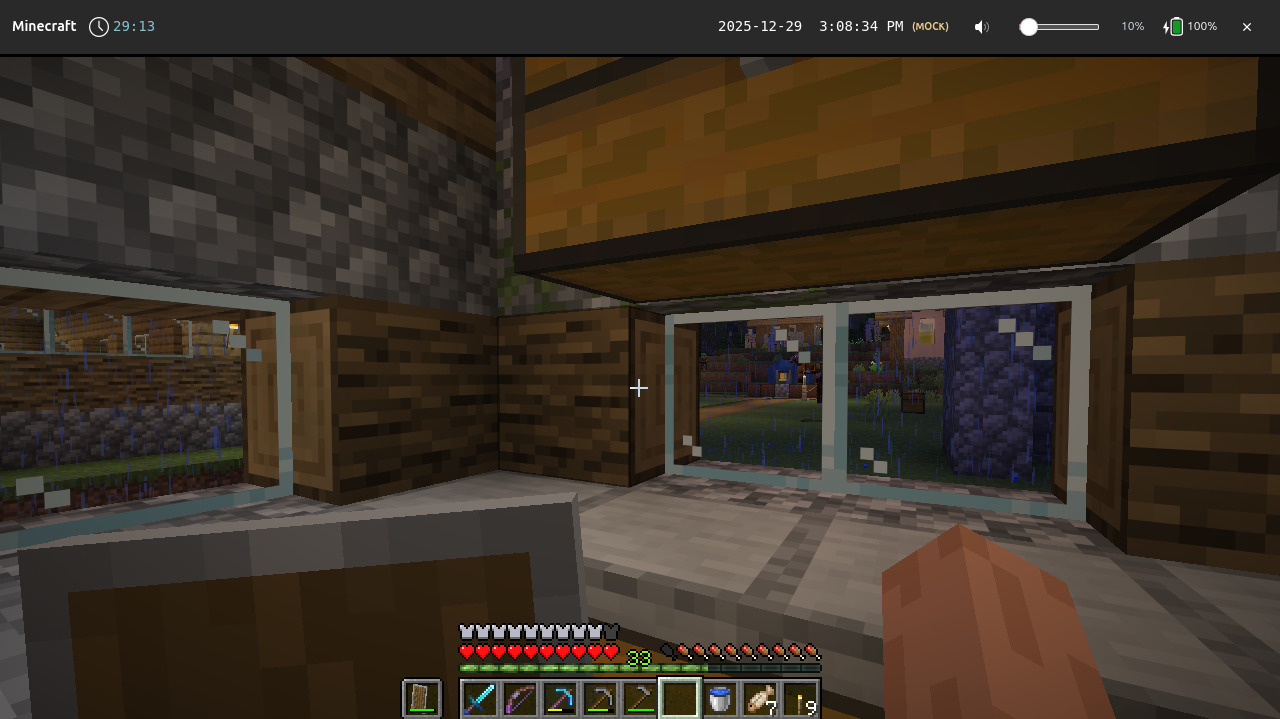
Minecraft running via the mc-installer Snap

Celeste running via Steam

A Short Hike running via Steam
Contributions are welcome for improvements and not yet implemented backends, such as:
- Content-aware media player [TODO: link to issue]
- Pre-booted Steam to improve launch time [TODO: link to issue]
- Android apps via Waydroid, including pre-booting Android if necessary [TODO: link to issue]
- Legacy Win9x via DOSBox, QEMU, or PCem, including scripts to create a boot-to-app image [TODO: link to issue]
- Chrome, including strict sandboxing and support for firewall rules [TODO: link to issue]
- Awareness of whether an Internet connection is available, and an availability rule that gates activities based on this [TODO: link to issue]
- Porting to other host platforms, such as a Microsoft Windows shell
replacement or macOS kiosk via MDM.
shepherd-launcheris architected such thatshepherdd, the core enforcement service, does not render any UI and performs platform-specific functions like process management in platform-specific crates.
Core concepts
- Launcher-first: only one foreground activity at a time
- Time-scoped execution: applications are granted time slices, not unlimited sessions
- Parent-defined policy: rules live outside the application being run
- Wrappers, not patches: existing software is sandboxed, not modified
- Revocable access: sessions end predictably and enforceably
Non-goals
- Modifying or patching third-party applications
- Circumventing DRM or platform protections
- Replacing parental involvement with automation
Installation
shepherd-launcher is pre-alpha and in active development. As such, end-user
binaries and installation instructions are not yet available.
See CONTRIBUTING.md for how to run in development.
Contributions are welcome for:
- a CI step that generates production binaries [TODO: link to issue]
- an installation script [TODO: link to issue]
Example configuration
For the Minecraft example shown above:
# Minecraft via mc-installer snap
# Ubuntu: sudo snap install mc-installer
[[entries]]
id = "minecraft"
label = "Minecraft"
icon = "minecraft"

[entries.kind]
type = "snap"
snap_name = "mc-installer"

[entries.availability]
[[entries.availability.windows]]
days = "weekdays"
start = "15:00"
end = "18:00"

[[entries.availability.windows]]
days = "weekends"
start = "10:00"
end = "20:00"

[entries.limits]
max_run_seconds = 1800  # 30 minutes (roughly 3 in-game days)
daily_quota_seconds = 3600  # 1 hour per day
cooldown_seconds = 600  # 10 minute cooldown

[[entries.warnings]]
seconds_before = 600
severity = "info"
message = "10 minutes left - start wrapping up!"

[[entries.warnings]]
seconds_before = 120
severity = "warn"
message = "2 minutes remaining - save your game!"

[[entries.warnings]]
seconds_before = 30
severity = "critical"
message = "30 seconds! Save NOW!"
See config.example.toml for more.
Development
See CONTRIBUTING.md
Written in 2025, responsibly
This project stands on the shoulders of giants in systems software and compatibility infrastructure:
- Wayland and Sway
- Rust
- Snap
- Proton and WINE
This project was written with the assistance of generative AI-based coding agents. Substantial prompts and design docs provided to agents are disclosed in docs/ai.